Use Cases
Canadian Working Day Use Cases
Federal Court Appellant:
File respondent's memorandum within Rules deadline
Scenario
You are an appellant's counsel in the Federal Court of Appeal. The appellant's memorandum of fact and law was served on the respondent on 11 December 2026. Under Federal Courts Rules R. 346(1), the respondent must serve their memorandum within 30 days after service of the appellant's memorandum. Computation follows R. 6. If the rule you are applying excludes Dec 21 to Jan 7, turn on that control before counting. If the calculated deadline lands on a weekend or holiday, it rolls forward to the next court open day. Miscalculating this deadline could result in the respondent filing out of time and requiring leave to extend.
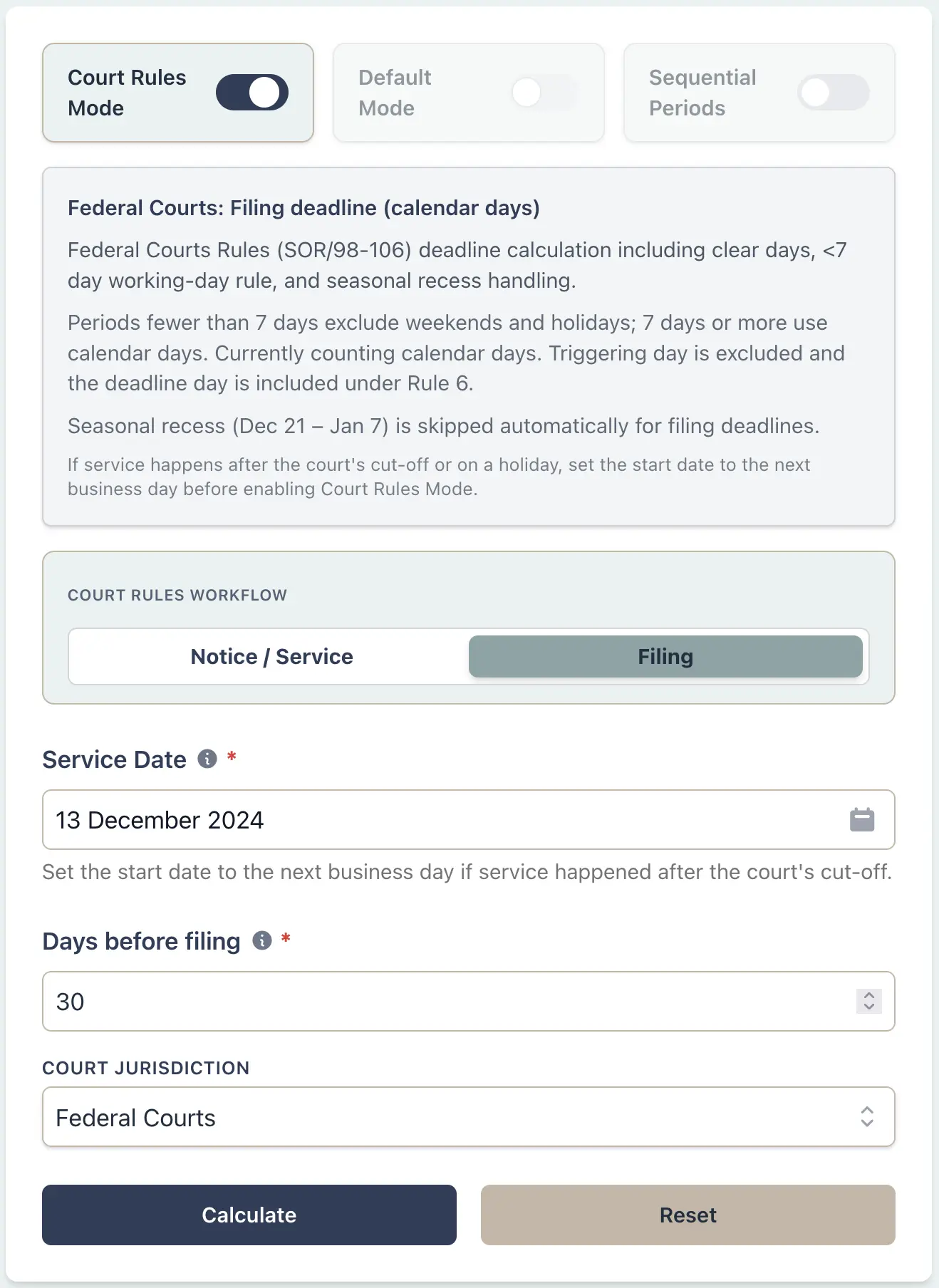
Example Workflow
Use the step row to inspect each part of the workflow.
9 stepsStep 1
Deadline
Select Deadline
Result Example
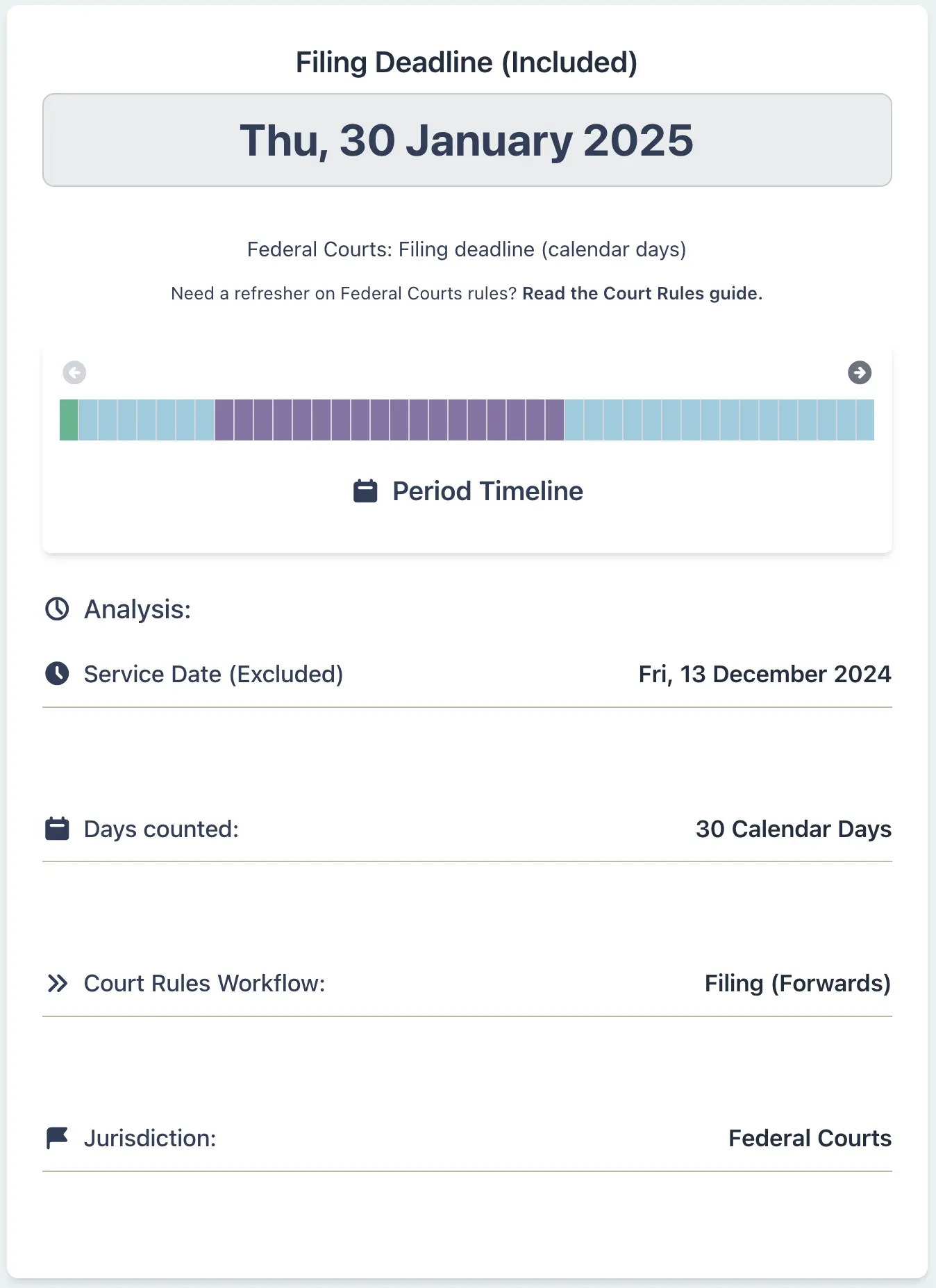
Why This Matters
- •Applies Federal Courts Rules R. 346(1) memorandum filing timing with R. 6 computation
- •Lets you turn on the Dec 21 to Jan 7 exclusion only when the applicable rule excludes that period
- •Rolls deadlines forward if they land on weekends, holidays, or other closure days
- •Eliminates calculation errors when deadlines span two calendar years
- •Provides a timestamped, exportable record for your litigation file and appellate record
Real Estate Lawyer:
Calculate closing deadline under OREA standard form
Scenario
You are a real estate lawyer in Ontario handling a residential purchase. Your clients signed a firm Agreement of Purchase and Sale on 9 January 2026, and the contract sets a 15 working day closing timeline. You must calculate the exact closing date accounting for weekends, Family Day (16 February), and other Ontario statutory holidays. If you miss the deadline or schedule closing on a non-working day, the transaction could fail or trigger contractual breaches with financial penalties.
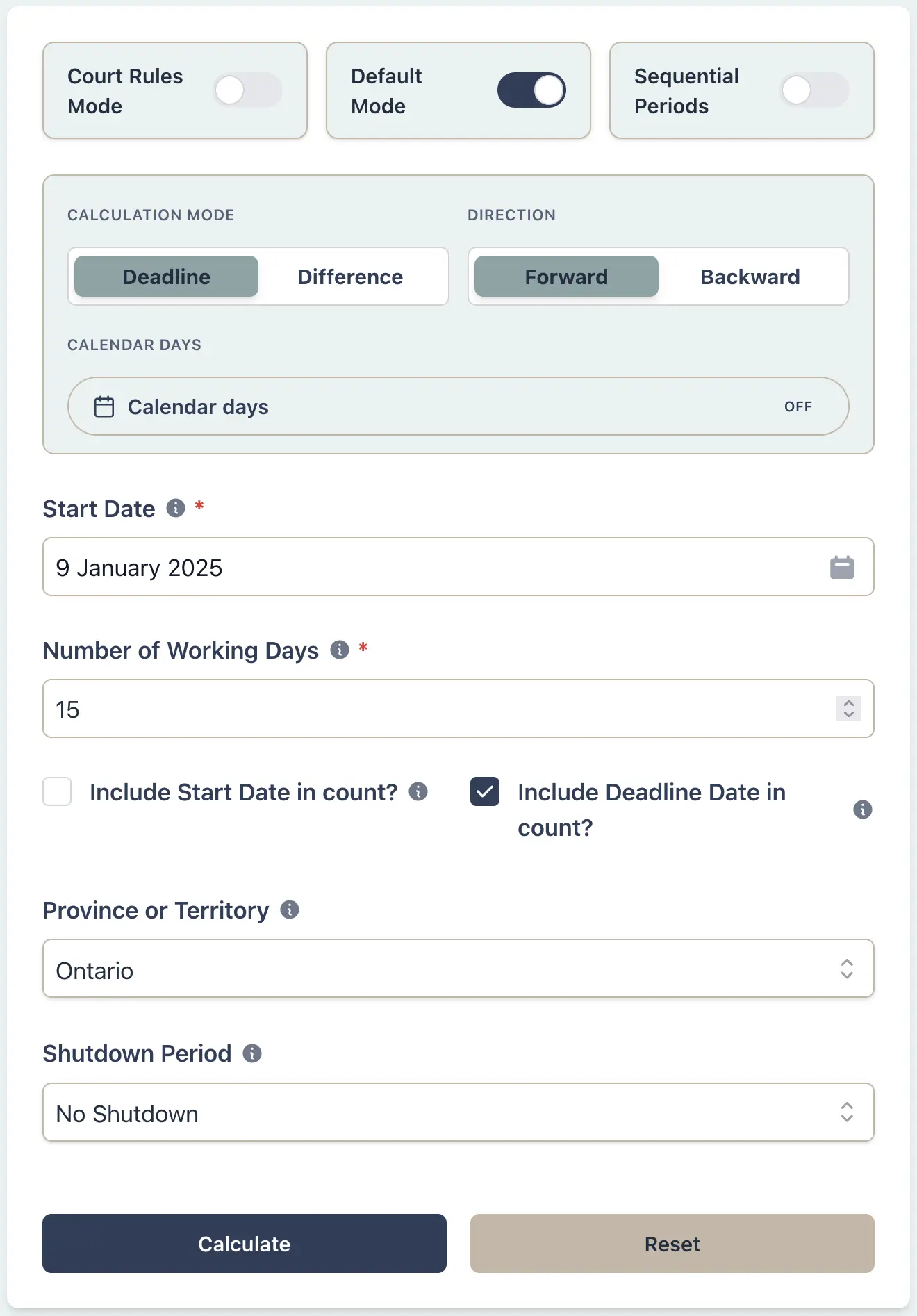
Example Workflow
Use the step row to inspect each part of the workflow.
9 stepsStep 1
Deadline
Select Deadline
Result Example
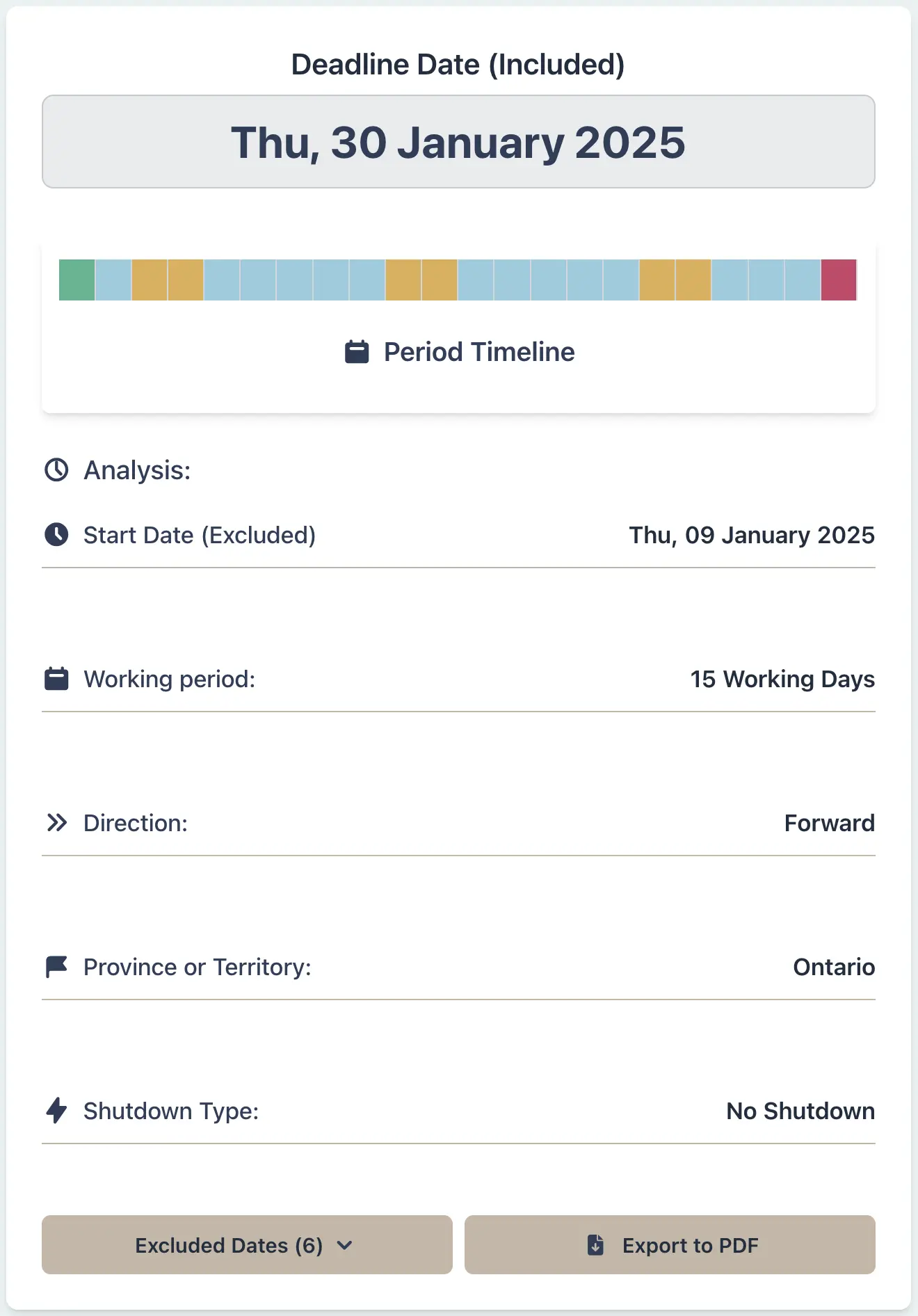
Why This Matters
- •Ensures compliance with your agreed closing timeline while respecting provincial statutory holidays
- •Prevents closing dates landing on weekends or non-working days
- •Provides a defensible audit trail if disputes arise about missed deadlines
- •Communicates precise closing dates to lenders, buyers, sellers, and other counsel
HR Payroll Specialist:
Accurately deduct unpaid leave across statutory holidays
Scenario
You are an HR payroll administrator at an Alberta technology company. An employee has requested unpaid leave from 14 December 2026 through 4 January 2027 for a family visit. Your company does not mandate closure during this period, so you must calculate how many working days to deduct from their leave balance, excluding Christmas Day, New Year's Day, and weekends. Under Alberta Employment Standards, you cannot charge employees leave for statutory holidays. If you incorrectly charge them for statutory holidays, you could face wage claims, Ministry investigations, and reputational damage.
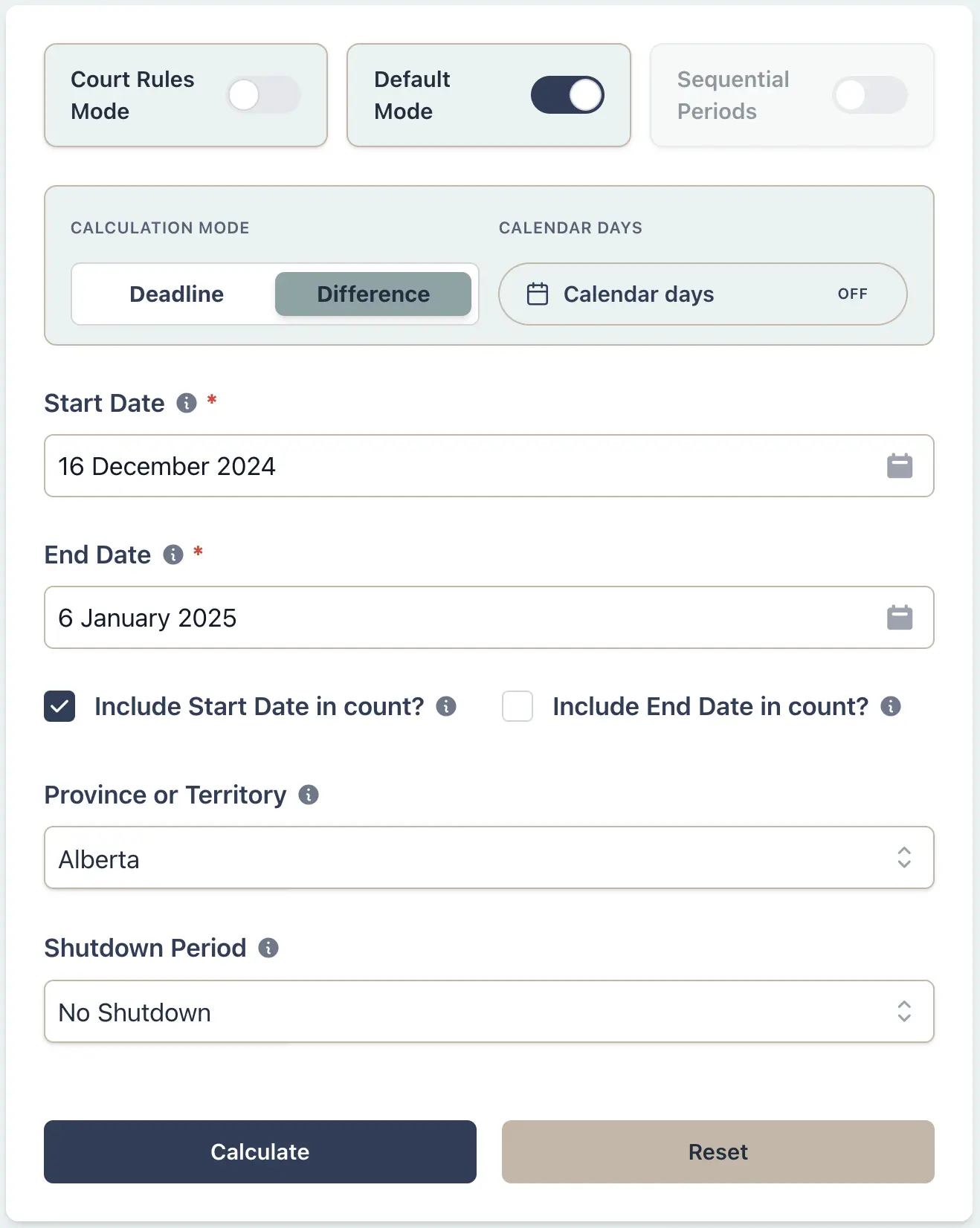
Example Workflow
Use the step row to inspect each part of the workflow.
8 stepsStep 1
Days between
Select Days between
Result Example
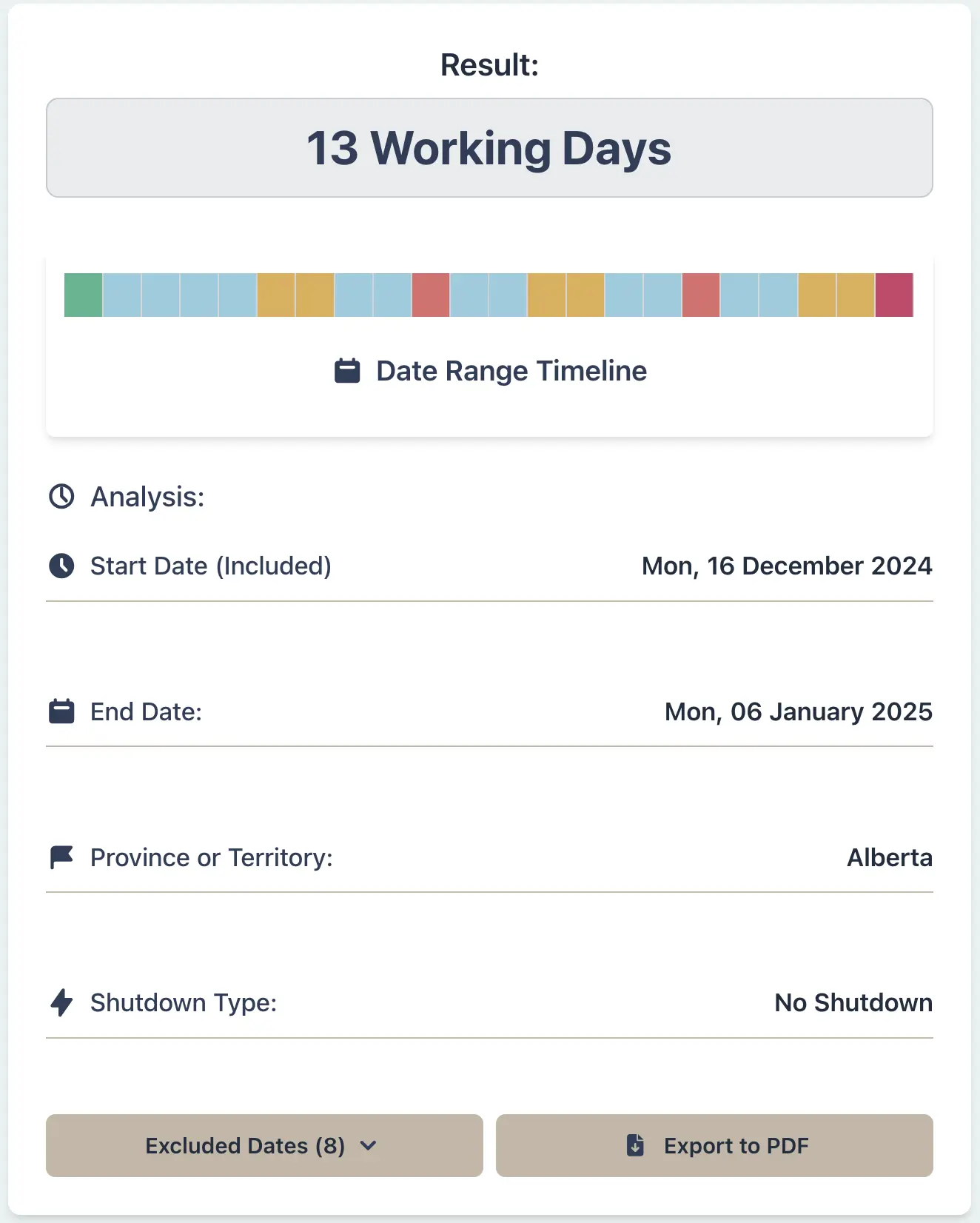
Why This Matters
- •Ensures compliance with Alberta Employment Standards Act rules on leave deduction
- •Automatically excludes statutory holidays so employees are not charged leave for days they cannot work
- •Handles the complexity of provincial holiday variations (some provinces observe Family Day, others don't)
- •Produces a timestamped calculation record for audits and employee disputes
Procurement Manager:
Meet vendor contract termination notice deadline
Scenario
You are the procurement manager at a British Columbia software company and must terminate a long-term software licensing agreement effective 16 March 2026. Your contract stipulates a 10 working day notice requirement. You must calculate the last business day to serve written notice so the termination is enforceable and you avoid liability for failing to meet the notice requirement. If you serve notice even one day late, the termination could be deemed invalid, forcing you to continue paying for 90+ additional days of service and damaging your vendor relationships.
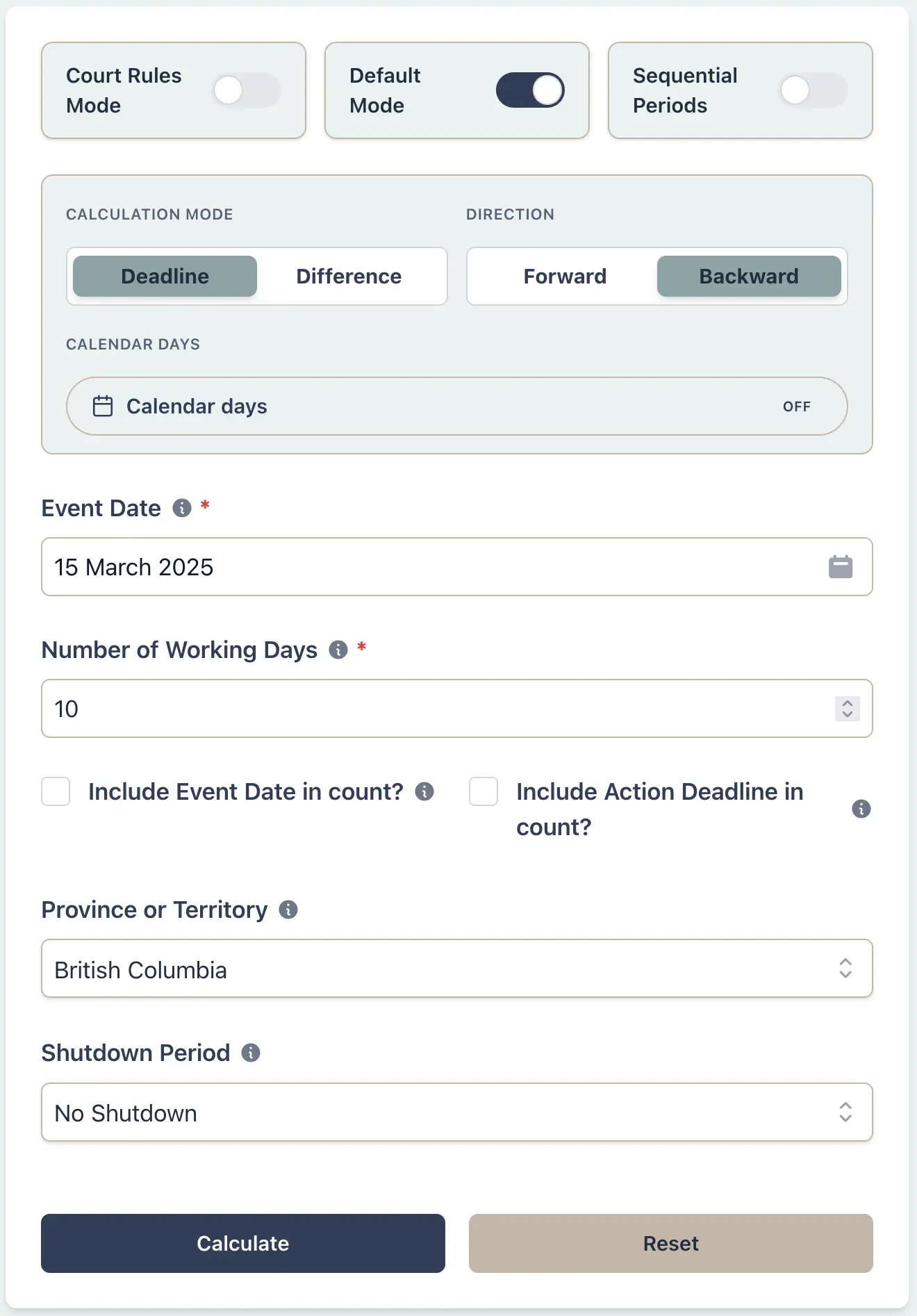
Example Workflow
Use the step row to inspect each part of the workflow.
9 stepsStep 1
Deadline
Select Deadline
Result Example
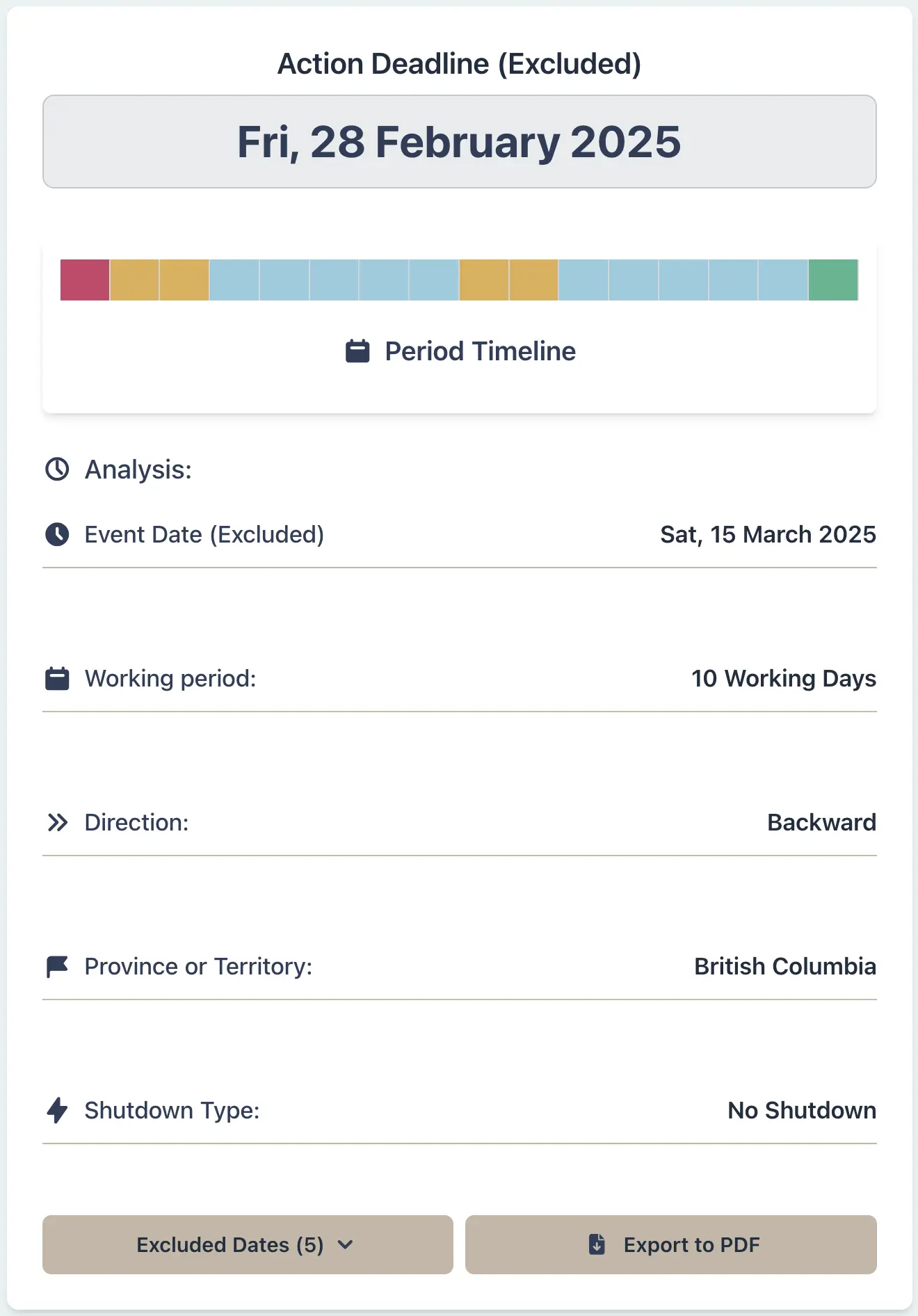
Why This Matters
- •Ensures you meet contractual notice requirements without inadvertent breach
- •Handles backward counting for termination clauses, cancellation periods, and payment terms
- •Automatically excludes provincial holidays so notice is served during business hours
- •Provides a timestamped record for dispute resolution if the other party claims late notice
Construction Project Manager:
Schedule restart after mandatory CCQ summer closure
Scenario
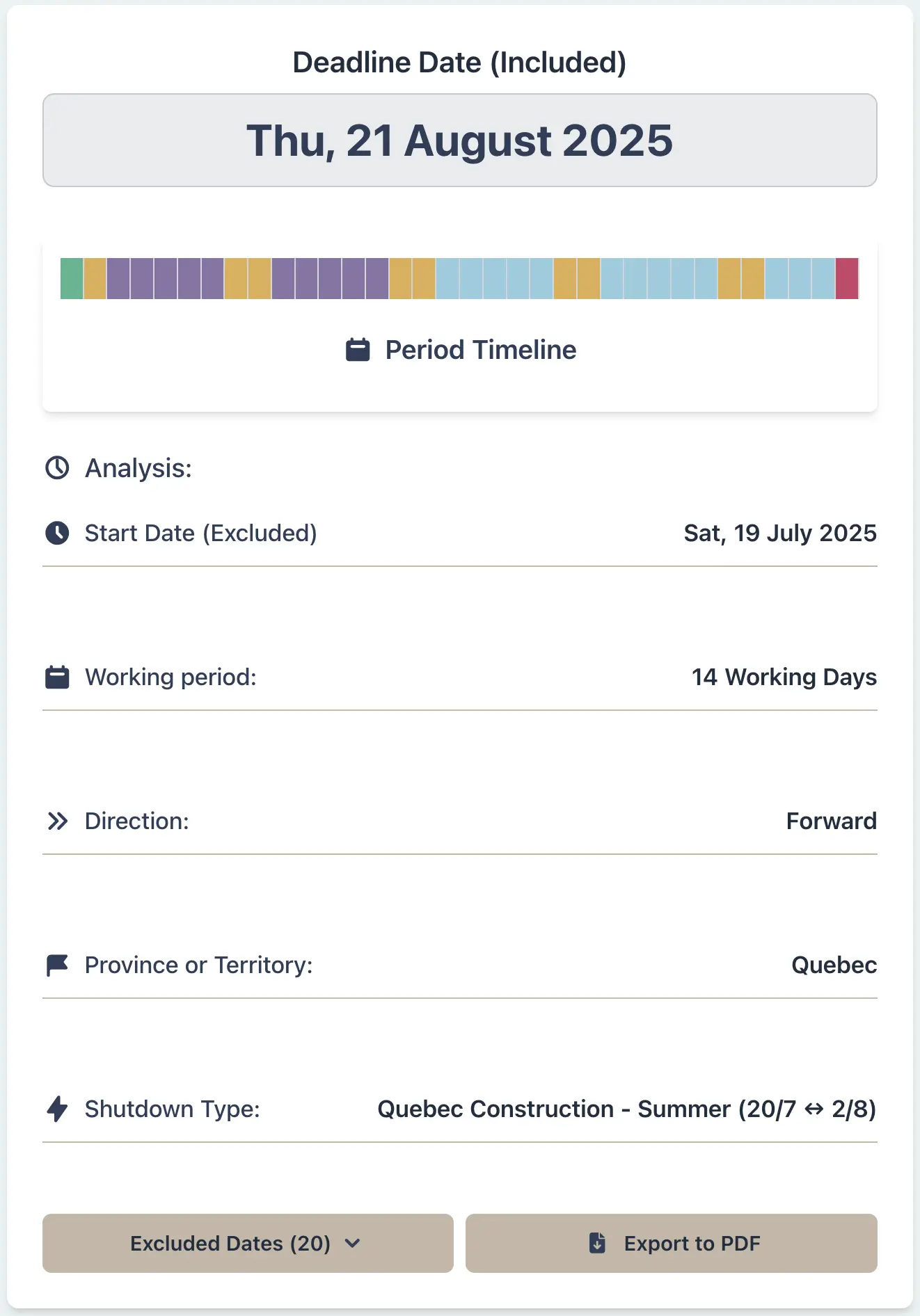
You are managing a commercial construction project in Montreal that will pause for the mandatory summer shutdown period governed by the Commission de la construction du Québec (CCQ). Your contract requires notification to all unionized trades 14 working days before restart. The official CCQ construction holiday runs from 19 July (00:01) through 1 August 2026 (24:00). Miscalculating the restart date could trigger union grievances, fines for violating the CCQ Decree, or liability under your insurance coverage.
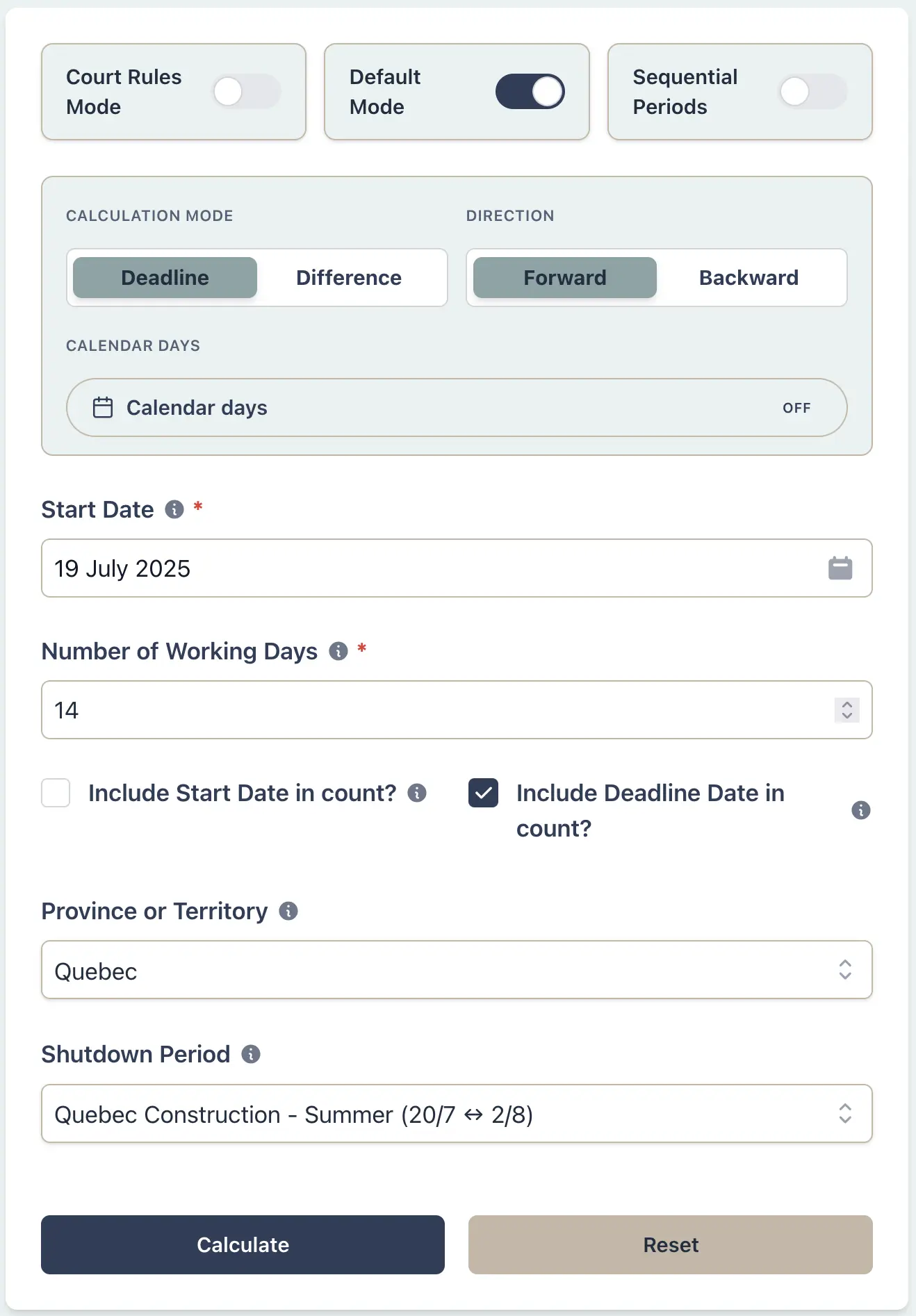
Example Workflow
Use the step row to inspect each part of the workflow.
8 stepsStep 1
Deadline
Select Deadline
Result Example
Why This Matters
- •Complies with CCQ Decree 2020 mandatory summer shutdown (approximately 150,000 construction workers across Quebec)
- •Accounts for the exact statutory closure dates set annually by the CCQ (Jul 19 – Aug 1 for 2026)
- •Prevents costly disputes with unionized trades and safety violations for working during shutdown
- •Provides an official, auditable timeline for contract milestones and payment schedules tied to restart dates
Real Estate Lawyer:
Chain inspection → financing → closing across holidays
Scenario
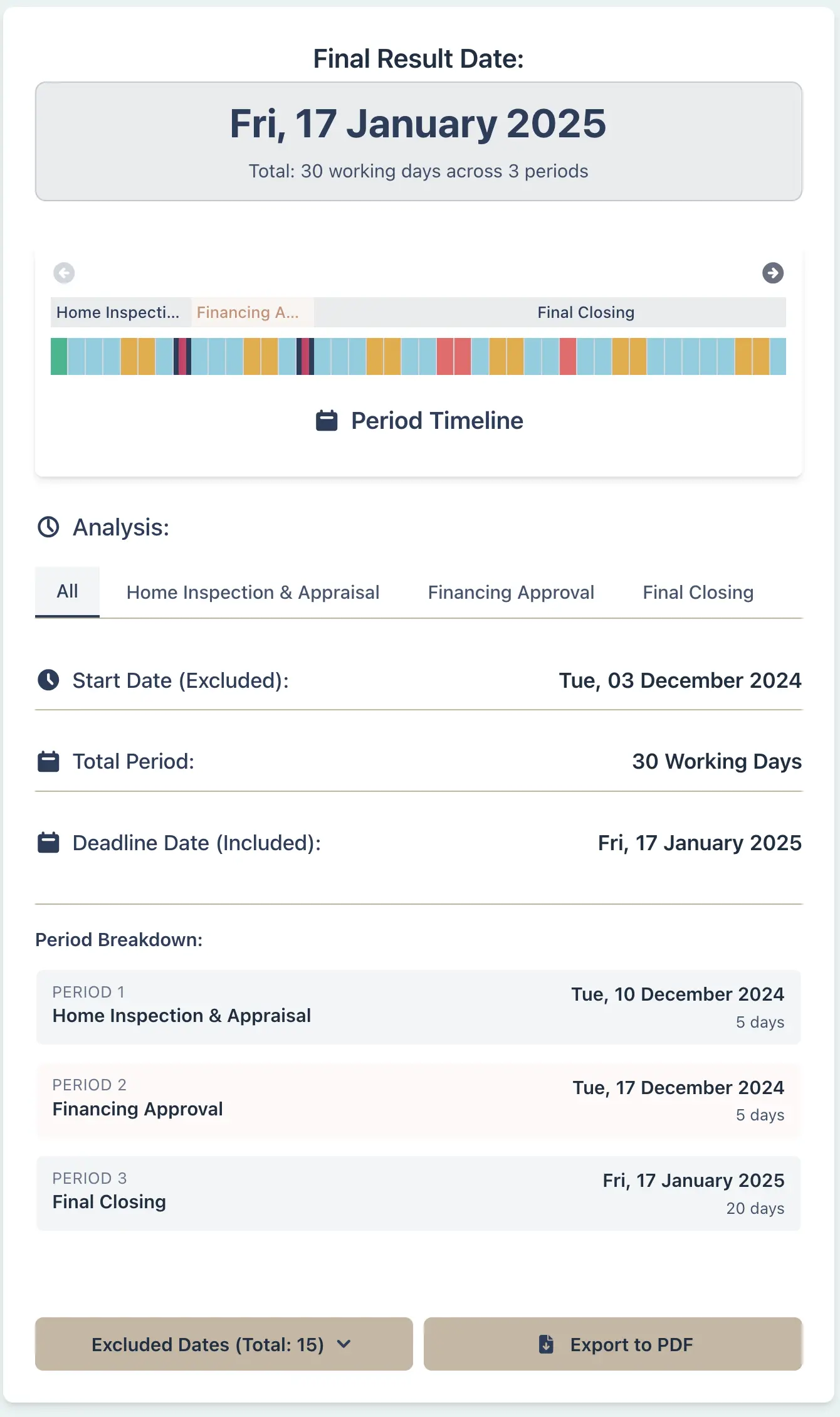
You are a real estate lawyer in Ontario representing a buyer. The offer was accepted on 1 December 2026. The Agreement of Purchase and Sale requires sequential milestones: inspection within 5 working days, financing approval within 5 working days of that, and final closing 20 working days later (excluding weekends and statutory holidays). Your firm also shuts down during year-end (Dec 24 – Jan 2), which your team needs to account for when scheduling internal deadlines. Miscalculating any leg causes cascade failures—if the inspection finishes too late, the financing window shrinks; if financing slips, closing lands on a non-working day. The buyer, lender, inspector, and title company all depend on accurate dates.
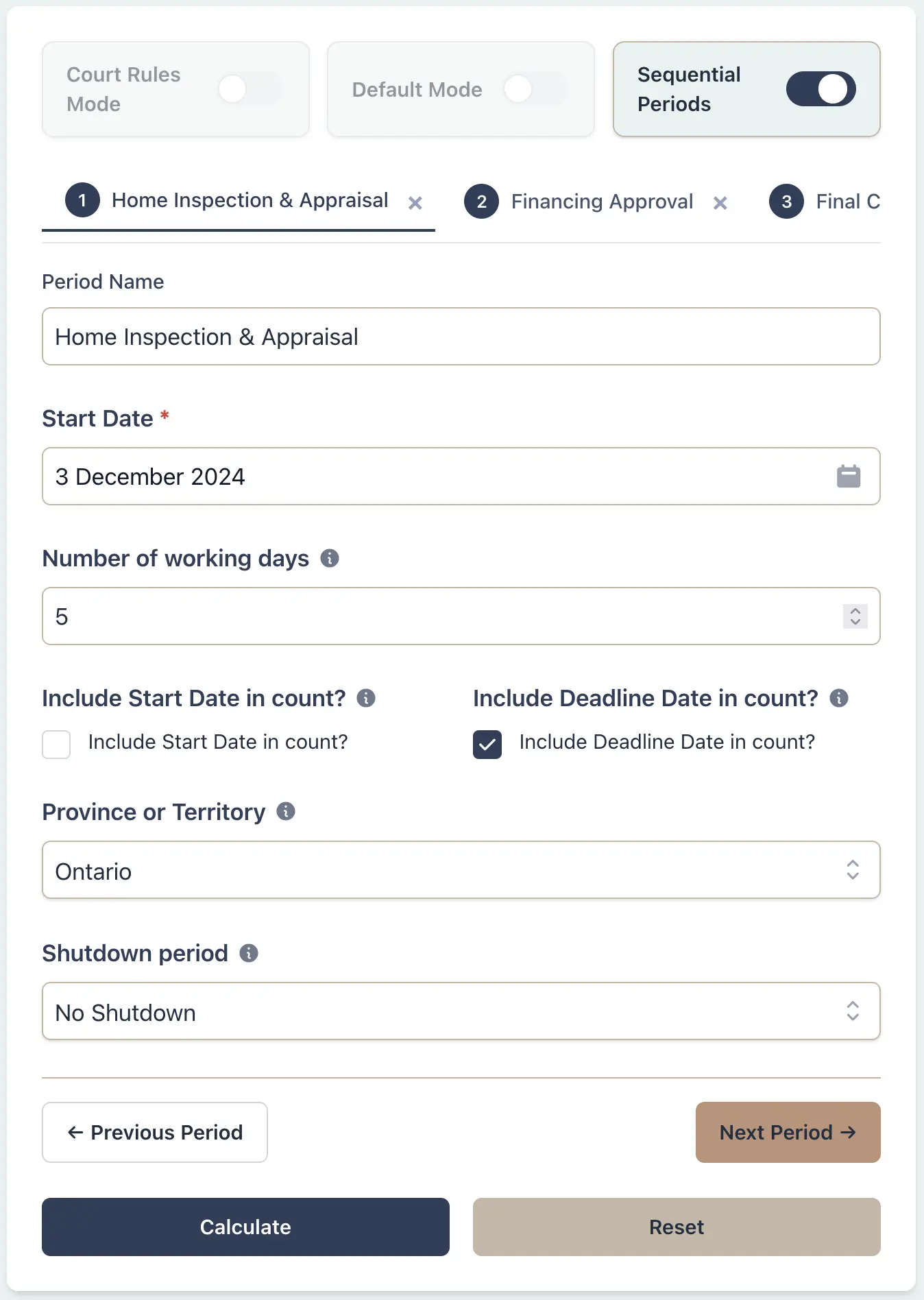
Example Workflow
Use the step row to inspect each part of the workflow.
8 stepsStep 1
Sequential
Select Sequential
Result Example
Why This Matters
- •Ensures all transaction phases are sequential with no overlap or gaps that cause delays
- •Automatically shows how statutory holidays and optional shutdowns cascade through three stages
- •Prevents missed deadlines like inspections finishing after financing closes, or closing before the title search completes
- •Provides a single shared timeline that all parties (agents, lenders, lawyers, appraisers) can reference